XXL Kit for Arduino · Game
Part 12 Snake on the LED matrix
- Beginner
- Ages 8+
- about 90 min
The 8x8 matrix from Part 10 and the joystick from Part 11, tied together by one loop, give you the first game in this series that you can really play. You do not add a single new part: this whole part is code. You will learn to keep something in an array that grows and moves, instead of standing still like the pattern of a digit.
Who is it for? For children and teenagers aged 8 and up, for teachers, and for adults who have done Parts 10 and 11. If the matrix or the joystick did not work for you on its own, go back to those parts. Here both of them already have to run like clockwork.
01
What we are building
The snake keeps going forward and turns when you tell it to. When it eats a dot, it grows by one. When it runs into a wall or into its own tail, the game is over.
Snake is a classic. It is best known from the Nokia phones of the turn of the century, but people were already playing it in arcades in the 1970s. You already have all the hardware: the 8x8 matrix from Part 10 is the screen, and the joystick from Part 11 is the controller. You do not need a single new part here.
This is what the playing field looks like during a game:
  . . . . . . . .
  . . . . . . . .
  . . . . . * . .      *  = food (it blinks)
  . . # # # O . .      #O = the snake, O is the head
  . . . . . . . .
  . . . . . . . .
  . . . . . . . .
  . . . . . . . .
For now the snake is three lit LEDs. The head (O) moves to the right by itself, and with the stick you change its direction: up, down or sideways. After eating the blinking dot the snake gets one segment longer and speeds up a little. When you lose, the matrix blinks the snake three times and the game starts again.
02
The parts from Parts 10 and 11
Zero new hardware. Two modules that you have already built and tested separately.
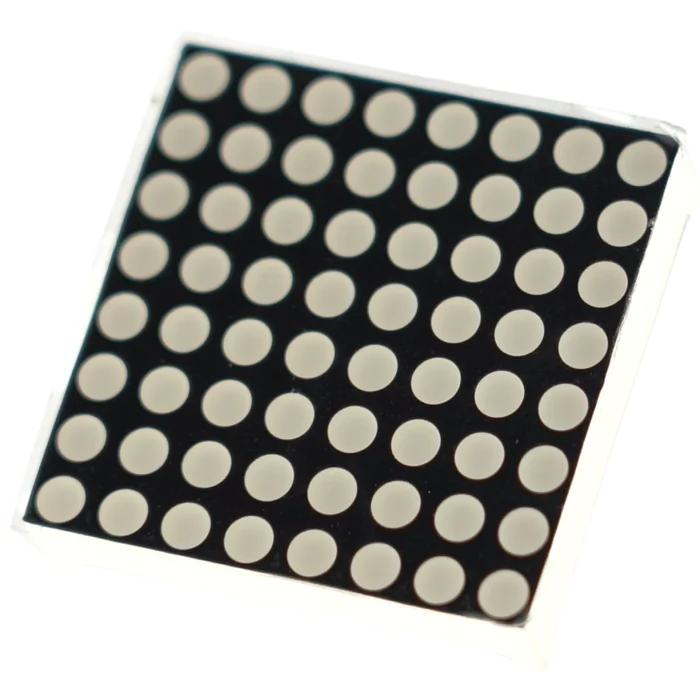
From the kit
8x8 LED matrix – the screen
64 LEDs, multiplexed row by row. The full explanation and the test of the matrix type are in Part 10. The connection stays exactly the same, including the sheet of paper “which leg is which row”.
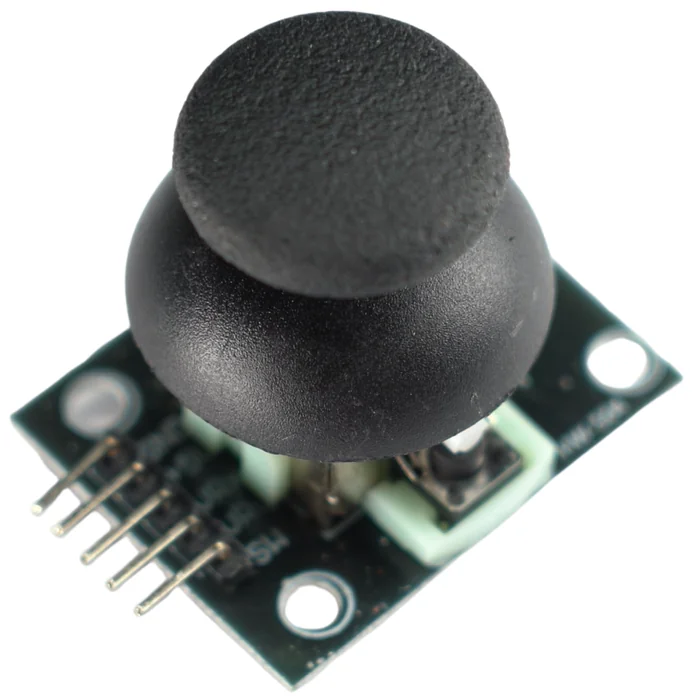
From the kit
Joystick – the controls
Two potentiometers (the X and Y axes) in one case, from Part 11. Here we move it from pins A0/A1 to A4 and A5, because the matrix has taken A0/A1. We do not connect the button (SW): there is no free pin left.
03
Building the circuit
The matrix takes 16 pins and the joystick 2. Together that is all 18 pins the board has. There is nothing to spare, so the stick's button is left in peace.
What you need: a breadboard (or two, as in Part 10), the R3 board, the 8x8 LED matrix, eight 220 Ω resistors, the joystick, about 18 male-to-male jumper wires and 4 female-to-male jumper wires.
| Group | Board pins | Note |
|---|---|---|
| Matrix – rows R1–R8 | D9, D4, D13, D6, A3, D12, A2, D10 | straight, with no resistor (as in Part 10) |
| Matrix – columns C1–C8 | D5, A1, A0, D8, D11, D7, D3, D2 | each through a 220 Ω resistor |
| Joystick VRx (X axis) | A5 | in Part 11 it was A0 – here the matrix uses A0 |
| Joystick VRy (Y axis) | A4 | |
| Joystick +5V, GND | 5 V, GND | power for the module |
| Joystick SW (button) | – | not connected; the game restarts by itself |
  MATRIX   -> exactly as in Part 10:
             rows straight to a pin, each column through a 220 Ω resistor

  JOYSTICK -> 4 female-to-male jumper wires:
  +5V --- 5V         VRx --- A5    (X axis)
  GND --- GND        VRy --- A4    (Y axis)
  SW  --- (not connected)
This is the whole circuit on the wiring diagram:
Step-by-step assembly
Build the circuit on the breadboard
Loading the 3D view...
Plug in the matrix as in Part 10
Push the 8x8 LED matrix in straddling the groove, 8 legs on each side, with the 1088BS label on the side facing away from you. One free hole is left next to each leg: in row A and in row J.
Order of assembly:
- 1Build the matrix exactly as in Part 10: the same table of legs, the same test with a resistor, the same sheet of paper. If you have one breadboard, plug the rows straight into the R3 board with female-to-male jumper wires and keep the breadboard for the columns with their resistors.
- 2Plug 4 female-to-male jumper wires into the joystick's pin header: +5V, GND, VRx, VRy.
- 3The other ends: +5V → 5 V, GND → GND, VRx → A5, VRy → A4.
- 4Check everything once more. Only now plug in the USB cable.
Before you flash Snake, a quick test of the connections. With sixteen wires going to the matrix, a loose jumper wire can happen, and hunting for a fault like that in the finished game is much harder than in a simple test. First flash this short sketch. It lights the whole matrix at once, row by row:
// Test: lights the whole matrix - checks the connections before the real program
const int rowPins[8]    = {9, 4, 13, 6, A3, 12, A2, 10};
const int columnPins[8] = {5, A1, A0, 8, 11, 7, 3, 2};

const int ROW_ON  = HIGH;
const int ROW_OFF = LOW;
const int COL_ON  = LOW;
const int COL_OFF = HIGH;

void setup() {
  for (int i = 0; i < 8; i++) {
    pinMode(rowPins[i], OUTPUT);
    pinMode(columnPins[i], OUTPUT);
  }
}

void loop() {
  for (int r = 0; r < 8; r++) {
    for (int i = 0; i < 8; i++) digitalWrite(rowPins[i], ROW_OFF);    // turn off all the rows
    for (int c = 0; c < 8; c++) digitalWrite(columnPins[c], COL_ON);  // all the columns on
    digitalWrite(rowPins[r], ROW_ON);                                 // light this one row
    delay(2);
  }
}
All 64 LEDs should shine equally bright. If something is missing, do not look for a mistake in the snake's logic yet. Wiggle each jumper wire in turn, at the matrix and at the resistors. A loose contact can also cause symptoms that seem to have nothing to do with it, for example the food “disappearing” in the game below. Flash Snake only when the whole matrix shines evenly.
04
How the snake works in the code
Until now an array held a pattern that stood still. The snake is an array that changes all the time.
1. The screen is image[8][8], which you know from Part 10. For every frame we build it from scratch: we clear it to all zeros, light the squares of the snake, and light the square of the food. Then we multiplex it row by row, just as we did with the smiley face.
2. The snake is a list of squares. Two arrays, snakeX[] and snakeY[], hold the column and the row of each segment. snakeX[0], snakeY[0] is the head, and the next indexes are the body. The variable length says how many segments count. The rest of the array is junk that we do not draw.
3. The direction is the pair of numbers dirX, dirY. One of them is −1 or 1, the other is 0. “Right” is dirX = 1, dirY = 0; “up” is dirX = 0, dirY = -1. The joystick only changes this pair. The snake cannot turn straight back into itself: when it is moving horizontally (dirX is not zero), a horizontal push of the stick is ignored.
4. One step of the snake. Work out where the head will land: new position = head + direction. If that is a wall or the snake's own body, the game is over. If it is food, length grows by one. Then each segment moves to the place of the one in front of it, and the head lands on the new square:
  before the step:   . # # # O . . .
  after the step:    . . # # # O . .     each segment goes where the segment in front of it was
It is like a train: each car goes where the car in front of it was a moment ago.
5. The tempo is kept by millis(), as in Parts 9 and 10. The snake moves once every tempo milliseconds, and between the steps the loop refreshes the matrix without a break. After each fruit the snake eats, tempo gets smaller, so the game speeds up.
6. Losing and restarting. A collision sets gameOver = true. Then the matrix blinks the snake three times, and the function newGame() sets everything up from the beginning: a snake of length 3 in the middle, the direction to the right, tempo back to its starting value.
05
The program: the whole game
It is a long listing, but you know almost every piece of it. We have split the game into small functions, and each one does one thing.
// === Part 12: Snake on the 8x8 LED matrix ===

// --- The matrix: connected exactly as in Part 10 ---
const int rowPins[8]    = {9, 4, 13, 6, A3, 12, A2, 10};   // rows R1..R8
const int columnPins[8] = {5, A1, A0, 8, 11, 7, 3, 2};     // columns C1..C8

const int ROW_ON  = HIGH;    // a different type of matrix? swap HIGH and LOW in these four
const int ROW_OFF = LOW;
const int COL_ON  = LOW;
const int COL_OFF = HIGH;

// --- The joystick: in Part 11 it was on A0/A1, but here the matrix uses those pins ---
const int xPin = A5;         // X axis of the joystick
const int yPin = A4;         // Y axis of the joystick

// --- State of the game ---
int image[8][8];             // what is lit in this frame: 1 = LED on

int snakeX[64];              // columns of the snake's segments; snakeX[0] is the head
int snakeY[64];              // rows of the snake's segments
int length;                  // how many segments the snake has

int  dirX, dirY;             // direction: one is -1 or 1, the other is 0
bool directionChanged;       // has the direction already been changed in this step

int  fruitX, fruitY;         // where the food is
bool gameOver;               // true = game lost

unsigned long tempo;         // how many ms for one step of the snake (less = faster)
unsigned long lastStep;      // millis() of the last step

void setup() {
  for (int i = 0; i < 8; i++) {
    pinMode(rowPins[i], OUTPUT);
    pinMode(columnPins[i], OUTPUT);
  }
  newGame();
}

void loop() {
  if (!gameOver) {
    readJoystick();

    if (millis() - lastStep >= tempo) {      // time for the snake's next step
      lastStep = millis();
      moveSnake();
    }
  }

  if (gameOver) {                            // game lost: blink the snake 3 times and start again
    for (int b = 0; b < 3; b++) {
      drawFrame();
      for (int k = 0; k < 9; k++) showFrame();
      clearImage();
      for (int k = 0; k < 9; k++) showFrame();
    }
    newGame();
  }

  drawFrame();         // build the image from the snake and the fruit
  showFrame();         // show it once (8 rows, ~16 ms)
}

// -- Set up a new game --
void newGame() {
  length = 3;
  snakeX[0] = 4; snakeY[0] = 4;  // the head in the middle
  snakeX[1] = 3; snakeY[1] = 4;
  snakeX[2] = 2; snakeY[2] = 4;
  dirX = 1; dirY = 0;            // start: to the right
  directionChanged = false;
  tempo = 400;
  lastStep = millis();
  gameOver = false;
  randomSeed(millis());         // after a restart the fruit appears in different places
  newFruit();
}

// -- Read the joystick; at most one change of direction per step, no turning back --
void readJoystick() {
  if (directionChanged) return;

  int x = analogRead(xPin);     // 0..1023, the middle is ~512
  int y = analogRead(yPin);

  if      (x > 800 && dirX == 0) { dirX =  1; dirY =  0; directionChanged = true; }
  else if (x < 200 && dirX == 0) { dirX = -1; dirY =  0; directionChanged = true; }
  else if (y > 800 && dirY == 0) { dirX =  0; dirY =  1; directionChanged = true; }
  else if (y < 200 && dirY == 0) { dirX =  0; dirY = -1; directionChanged = true; }
}

// -- One step of the snake: new head, collisions, food --
void moveSnake() {
  directionChanged = false;               // from this step on you can turn again

  int newX = snakeX[0] + dirX;            // where the head will land
  int newY = snakeY[0] + dirY;

  if (newX < 0 || newX > 7 || newY < 0 || newY > 7) { gameOver = true; return; } // wall
  if (onSnake(newX, newY)) { gameOver = true; return; }                          // its own body

  bool ate = (newX == fruitX && newY == fruitY);
  if (ate && length < 64) length = length + 1;   // the snake grows by one segment

  for (int i = length - 1; i > 0; i--) {    // move the body along behind the head
    snakeX[i] = snakeX[i - 1];
    snakeY[i] = snakeY[i - 1];
  }
  snakeX[0] = newX;                         // the new head
  snakeY[0] = newY;

  if (ate) {
    newFruit();
    if (tempo > 150) tempo = tempo - 30;    // a little faster after each fruit
  }
}

// -- Is the square (x, y) taken by the snake? --
bool onSnake(int x, int y) {
  for (int i = 0; i < length; i++) {
    if (snakeX[i] == x && snakeY[i] == y) return true;
  }
  return false;
}

// -- New food on a random free square --
void newFruit() {
  if (length >= 64) { gameOver = true; return; }   // the whole screen is snake = you win
  do {
    fruitX = random(8);  // a random number 0..7
    fruitY = random(8);
  } while (onSnake(fruitX, fruitY));
}

// -- Build the 'image' array from the snake and the fruit --
void drawFrame() {
  clearImage();
  for (int i = 0; i < length; i++) {
    image[ snakeY[i] ][ snakeX[i] ] = 1;     // image[row][column] = image[y][x]
  }
  if ((millis() / 200) % 2 == 0) {           // the fruit blinks - so you can tell it from the snake
    image[fruitY][fruitX] = 1;
  }
}

// -- Turn off the whole image --
void clearImage() {
  for (int r = 0; r < 8; r++) {
    for (int c = 0; c < 8; c++) {
      image[r][c] = 0;
    }
  }
}

// -- Show the current 'image' once: 8 rows, 2 ms each (multiplexing as in Part 10) --
void showFrame() {
  for (int r = 0; r < 8; r++) {
    for (int i = 0; i < 8; i++) digitalWrite(rowPins[i], ROW_OFF);
    for (int c = 0; c < 8; c++) {
      if (image[r][c] == 1) digitalWrite(columnPins[c], COL_ON);
      else                  digitalWrite(columnPins[c], COL_OFF);
    }
    digitalWrite(rowPins[r], ROW_ON);
    delay(2);
  }
}
Write this program in your browser
Tutorial on the left, editor on the right. Build your code and flash it to the board in one click, with nothing to install.
| Instruction | What it does |
|---|---|
rowPins[], columnPins[], showFrame() | multiplexing the 8x8 matrix (Where you know it from: Part 10 (unchanged)) |
xPin = A5, yPin = A4 + analogRead | the two axes of the joystick (Where you know it from: Part 11 (A0/A1 there)) |
snakeX[64], snakeY[64], length | the snake as a list of squares – it grows and moves (Where you know it from: new – an array as a list) |
dirX, dirY (−1 / 0 / 1) | the direction of movement; dirX == 0 blocks turning back (Where you know it from: “remember the state” from Part 8, taken further) |
if (millis() - lastStep >= tempo) | the snake moves every tempo ms while the matrix keeps on flashing (Where you know it from: Parts 9 and 10) |
the “move the body along behind the head” loop | each segment to the place of the one in front of it (like train cars) (Where you know it from: new) |
onSnake(x, y) | is the square taken – for collisions and for placing the fruit (Where you know it from: new – a small helper function) |
do { ... } while (onSnake(...)) | pick a random square for the fruit until you hit a free one (Where you know it from: Part 3 (do…while)) |
random(8) | a random number 0–7 (Where you know it from: new) |
(millis() / 200) % 2 == 0 | the fruit blinks, so you can tell it from the snake (Where you know it from: division and % from Part 9) |
gameOver (bool) + a blink + newGame() | the “game lost” state and the restart (Where you know it from: a bool flag like autoMode from Part 8) |
Flash the code through FlashESP.com. A short snake appears in the middle of the matrix, and a blinking dot: the food. Push the stick sideways, or up or down: the snake turns. Steer the head onto the dot: the snake grows and speeds up. Run into a wall or into your own tail: the matrix blinks three times and the game starts again. If the up-down axis works the wrong way round, swap the thresholds y > 800 and y < 200 in readJoystick().
How to read readJoystick(). This function asks the stick “which way were you pushed?” and changes the pair dirX, dirY to match. Take the first of the four lines:
if (x > 800 && dirX == 0) { dirX = 1; dirY = 0; directionChanged = true; }
xisanalogRead(xPin): a number 0–1023 from the X axis of the stick; the middle is about 512.x > 800means “the stick is pushed far to the right”. We do not check== 1023, because you do not have to push the stick all the way to the end. A clear push is enough.&&means “and” (from Part 3): both conditions have to be true at the same time.dirX == 0means “the snake is not moving horizontally right now”.dirXis zero only when the snake is gliding up or down. This is the guard against turning back: if the snake is already moving left or right (dirXis 1 or −1), the whole condition is false and the push is ignored. You cannot make a sudden U-turn straight into your own neck.- When both conditions are met, the
{ }runs:dirX = 1(with every step the head goes one column to the right),dirY = 0(the direction is always one axis at ±1 and the other at 0), anddirectionChanged = trueblocks the otherifs until the snake's next step. One turn per step.
The next three lines work the same way: x < 200 is “far to the left” (dirX = -1), and y > 800 and y < 200 are the vertical axis. else if makes sure that at most one of the four fires.
Tuning the game. Three numbers change its character: tempo = 400 in newGame() (the start; bigger means slower), tempo - 30 in moveSnake() (how much it speeds up after a fruit) and the threshold if (tempo > 150) (the fastest tempo possible). Start with these values and go lower when the game gets too easy.
Build checklist
Tick them off one by one. Your progress is saved in this browser.
0 / 14
Rules worth remembering
- 1
This is Part 10 plus Part 11 – nothing new in the hardware.
If the matrix or the joystick does not work on its own, the game will not run either. Check both modules one at a time before you start looking for a mistake in the game.
- 2
The joystick is on A4/A5, not A0/A1.
In Part 11 it sat on A0/A1, but here those pins lead to the matrix.
- 3
The joystick button (SW) stays unconnected.
All 18 pins of the board are taken: 16 by the matrix, 2 by the axes of the joystick. The game restarts by itself after you lose.
- 4
We do not time the snake's step with
delay().The matrix has to be refreshed between the steps, so the tempo is kept by
millis(), as in Parts 9 and 10.
Projects
None of the projects below needs anything extra: they all build on the same game. They go from the easiest to the most ambitious.
- 1
Your own tempo
Easy- What you will use
- this game
- What you will learn
- choosing the starting
tempoand the speed-up step so that the game plays well for you
- 2
Walls that let you through
Easy- What you will use
- this game
- What you will learn
- replacing the loss at a wall with
newX = (newX + 8) % 8(and the same for Y) – the snake goes out on one side and comes in on the other
- 3
Two fruits at once
Medium- What you will use
- this game
- What you will learn
- adding a second pair,
fruit2X/fruit2Y, checked the same way when eating and inonSnake
- 4
The high score in the Serial Monitor
Medium- What you will use
- this game + the Serial Monitor
- What you will learn
- using
Serial.begin(9600)andSerial.println(length)after each fruit; the full point counter comes in Part 14
- 5
A vanishing tail
Challenging- What you will use
- this game
- What you will learn
- making the segments far from the head flash every other frame – a condition in
drawFrame()that depends oniand onmillis()
Summary
Snake did not bring in a single new part. It is the matrix from Part 10 and the joystick from Part 11, tied together by one loop. What was new was the way of looking at an array: not as a fixed pattern, but as a list of squares that grows and moves. The rest is building blocks you already know: millis() for the tempo, ifs for the collisions, do…while from Part 3, and your own small functions, each of which does one thing.
In Part 14 we will add point counting to the snake: each fruit is a point, and after you lose, the matrix will show your score and the best result so far.